Step 1: Create Map
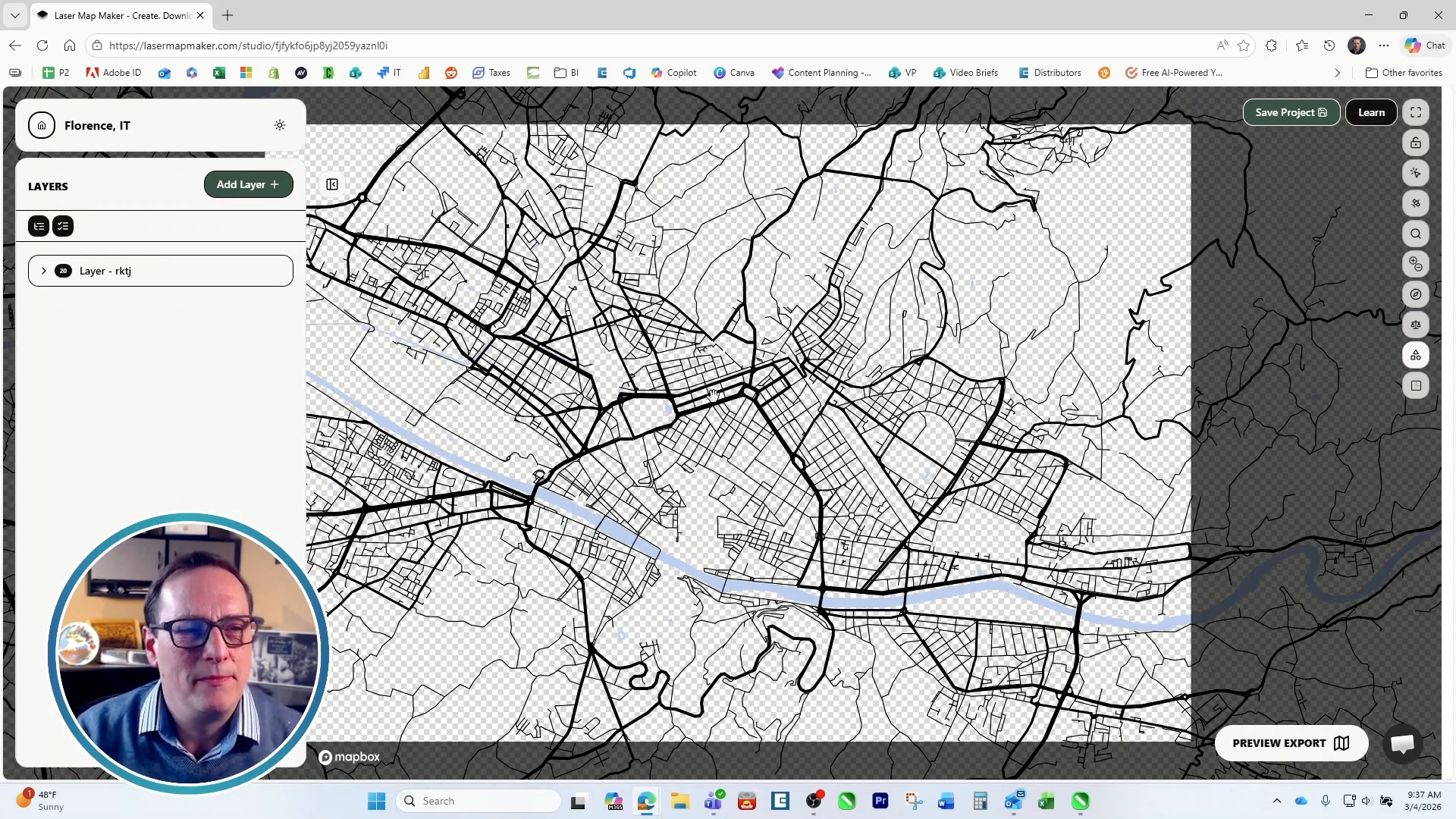
To create your own map you can use Laser Map Maker. If you prefer to use our free Sample Club file, skip to the next step. On Laser Map Maker you can sign up for a free subscription and get three free exports. Click “New Project”, then select “Blank Template” and pick the city you’d like to engrave. Turn off the “Satellite Overlay” setting. Create a new layer and choose all of the features you’d like to include on your map. When you’re happy with your map, export it as an .svg file.
Step 2: Prepare Artwork
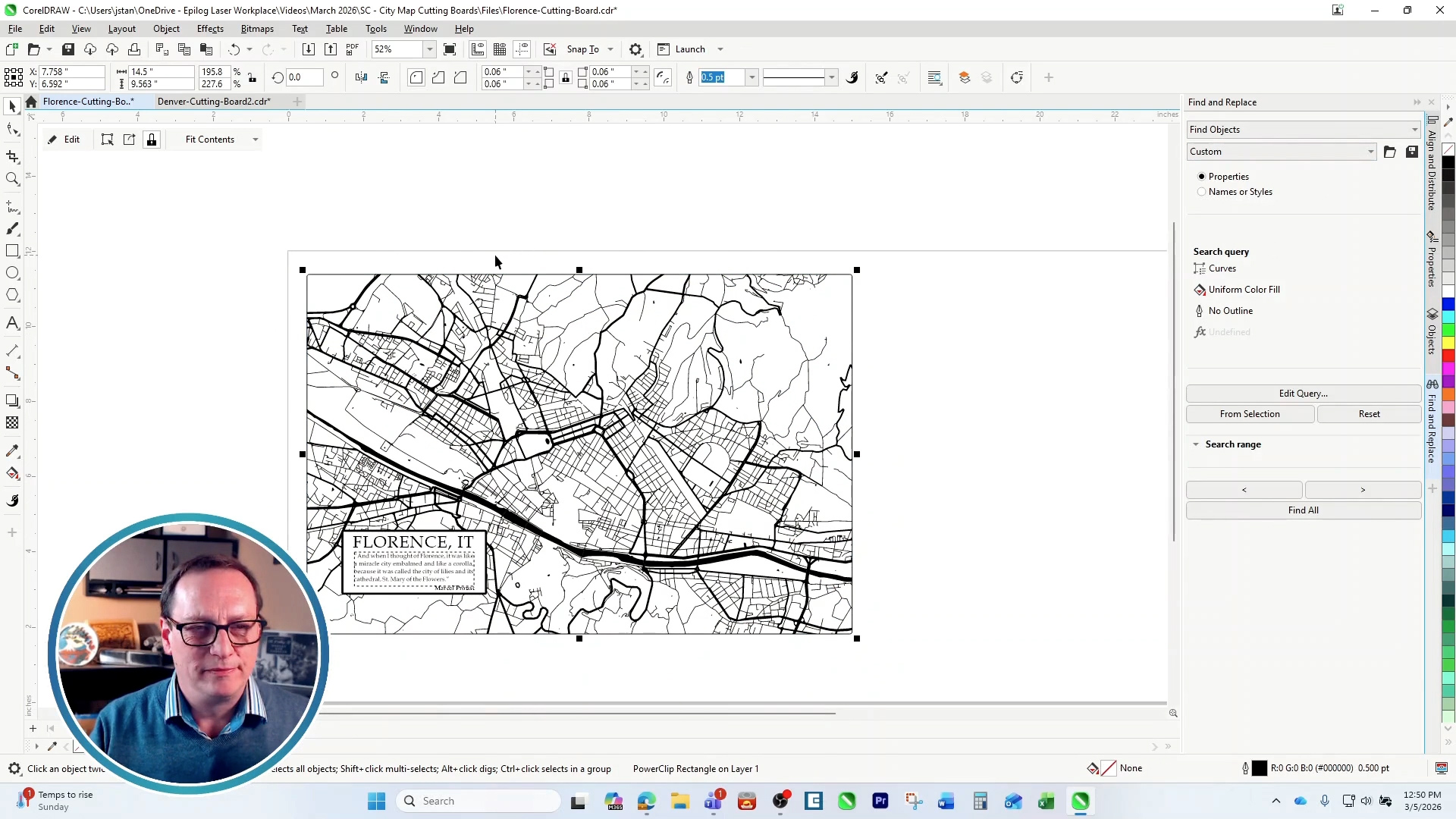
Import the map file into the design software of your choice. If you saved your own custom map as an .svg file, there may be some layers locked, to unlock them in CorelDraw, select everything, choose “objects”, select all of the locked layers, right click and unlock them. If you have any water features in your artwork, select them and change the color to black. Once your artwork is ready, print it to the Laser Dashboard.
Step 3: Laser Dashboard Setup
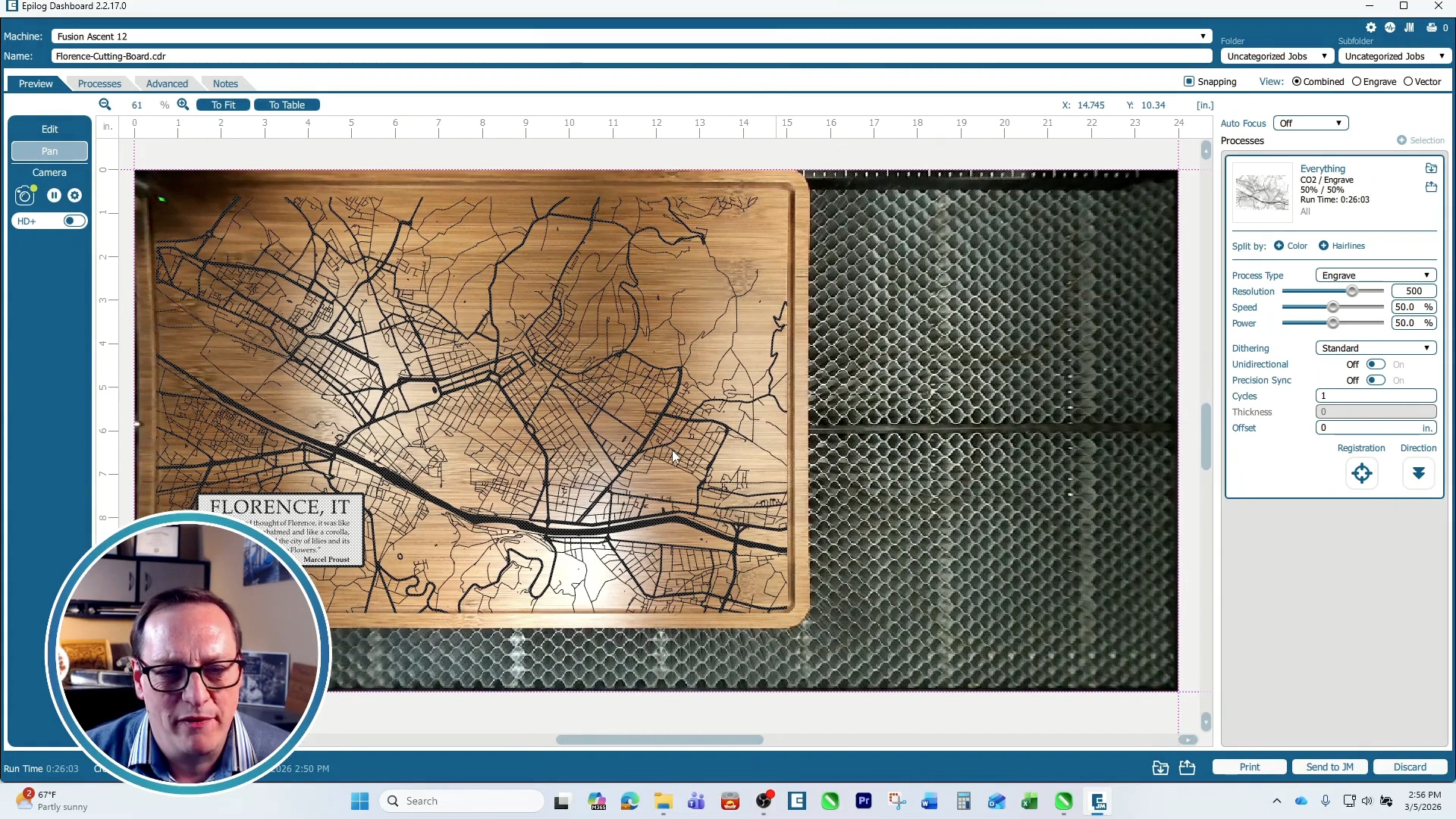
In the Epilog dashboard, position your artwork on the cutting board. Input your engraving settings. On an 60-watt Fusion Ascent 12 we used 30% Speed, 100% Power, 500 DPI and bottom-up engraving. Now print the job to the laser.
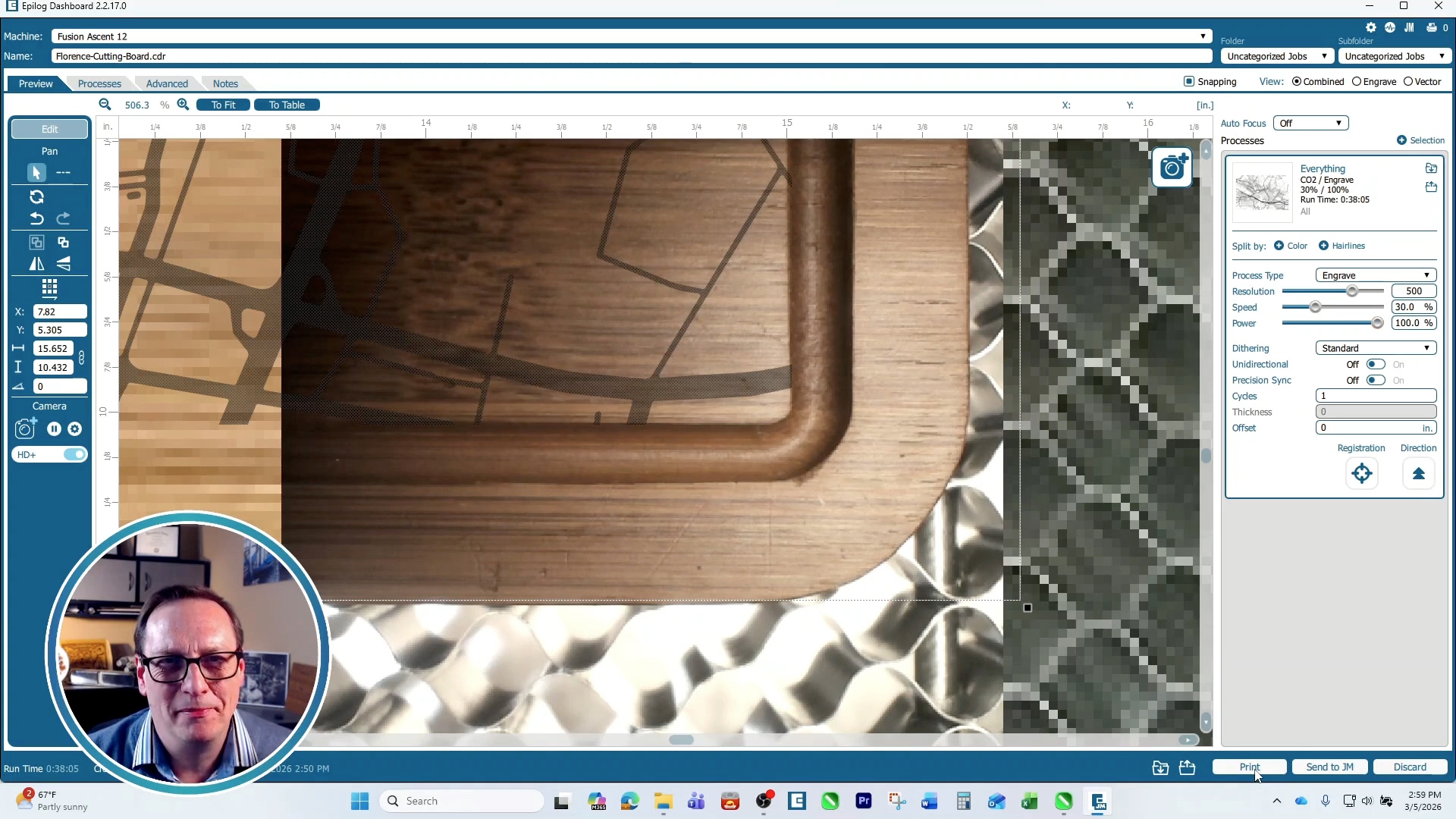
If you have Fusion IRIS™ HD+ you may use that feature to fine-tune the position of the artwork.
Step 4: Run the Job
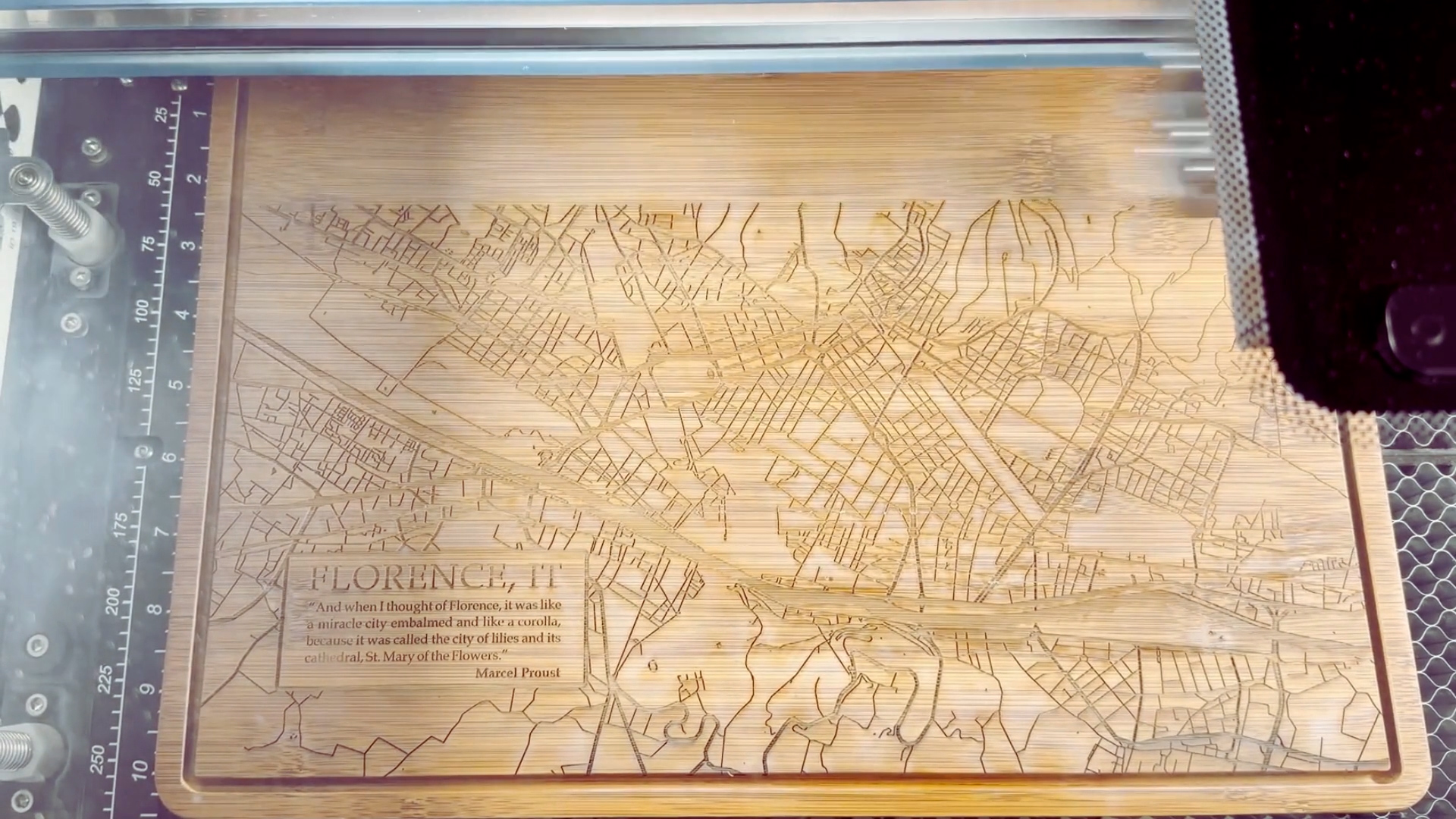
Once you’ve sent your job to the laser, select the job and press go!
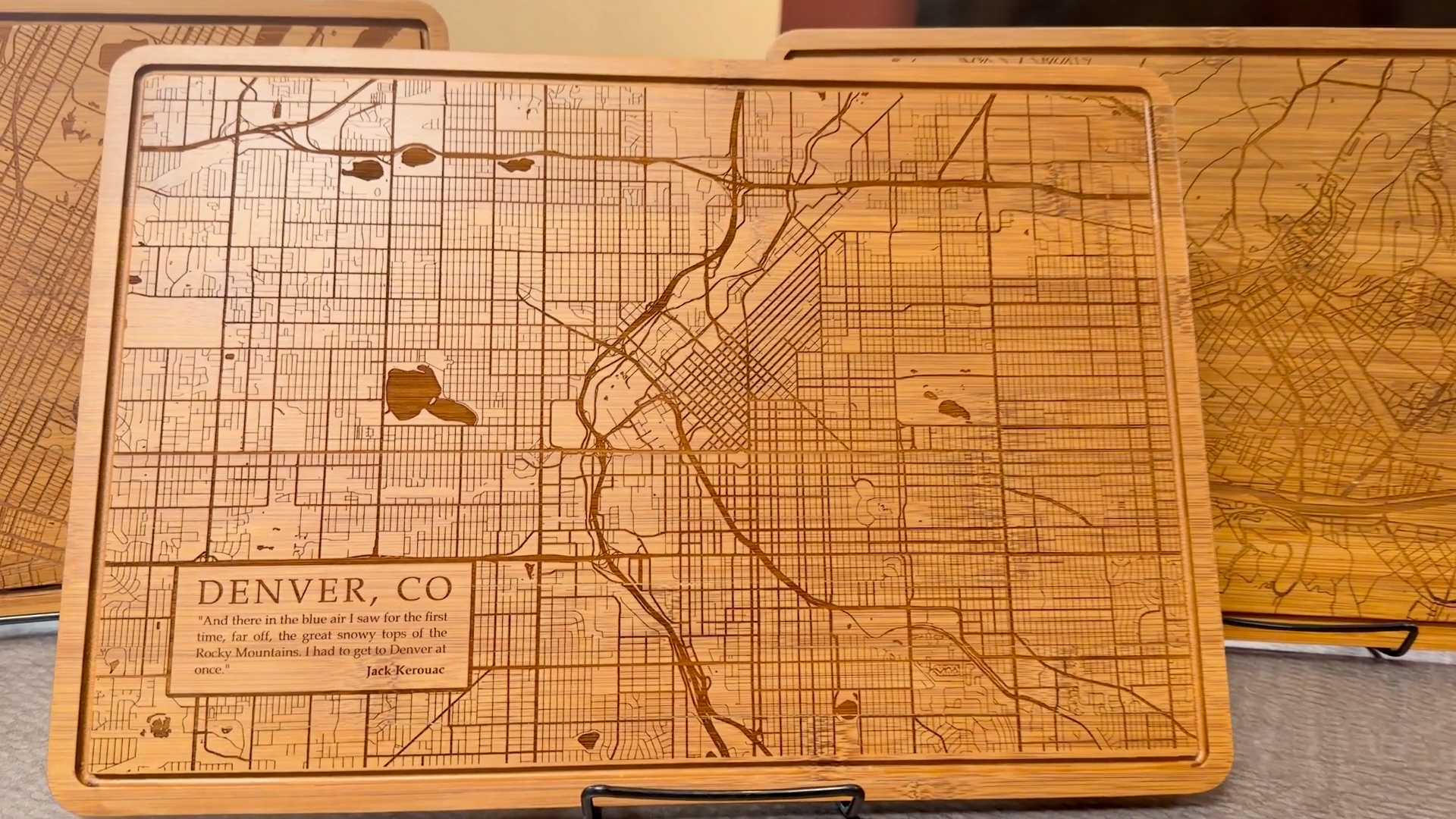
Once it’s finished, wipe off any residue. If you’d like, you can coat it with a clear varnish as a final touch. Now you have a custom engraved city map cutting board!
Where can you sell city map cutting boards?
Custom engraved city map cutting boards sell very well. Here are a few ideal places to market this personalized product:
- Online marketplaces such as Etsy or Amazon Handmade
- Your own website
- Craft fairs and maker markets
- Local gift shops and boutiques
- Tourist and museum shops
- Corporate and event gifting
- B2B sales – real estate professionals, decorators, etc.