What is an API?
An Application Programming Interface (API) enables different software systems to communicate. Epilog’s PrintAPI bridges your external software and Epilog Laser Systems, bypassing the traditional Software Suite for seamless integration.
How does it work?
3 Simple Steps to Get Started
Epilog PrintAPI allows users to send print jobs directly from their software. With just three key components—an SVG artwork file, a JSON laser settings file, and the target Epilog Laser model—you create a streamlined print file ready for the laser.
-
1
Input Job Data
Through your custom software integration
-
2
Automated Processing
PrintAPI transmits graphics and settings to the machine
-
3
Engrave Effortlessly
The job appears on the machine; just press “Go”
PrintAPI supports integration into ERP systems, kiosks, and custom applications using C++, WebAssembly, or command-line tools.
Who Should
Use PrintAPI?
High-Volume + Complex
Real-World Application
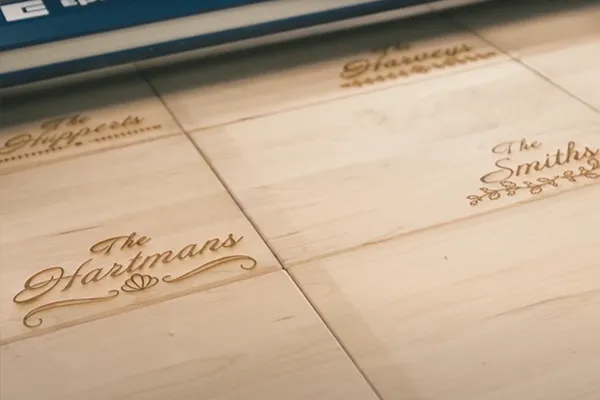
Imagine a store kiosk where customers personalize products. PrintAPI processes the customer’s input, applies known material settings, and sends the job directly to the laser. The operator simply inserts the item and presses “Go”—no manual software interaction required.
Customize workflows to match your production needs, making the process faster, simpler, and more reliable.
By eliminating redundant steps and reducing manual input, PrintAPI lets you focus on what you do best, while our technology handles the details.

Benefits
Increased Efficiency
Reduce idle time and streamline production by bypassing the Software Suite
Scalability
Manage multiple machines simultaneously with ease
Reduced Errors
Minimize manual steps to lower the risk of errors
How can I get started?
If you have an in-house developer, all the resources you need to get started are available on GitHub.
If you would like additional support, our official integration partner, Shop2Laser, offers both a ready-to-use solution and custom consulting to help you build a workflow tailored to your business.
FAQ’s
You’ve got questions, we got answers.
Available now on GitHub with documentation, examples, and support.
There are examples and documentation on GitHub.
No, it can be hosted locally.
Currently available on Fusion Pro, Edge, Maker, Galvo.
- Adding legacy machine compatibility of machines back to and including the Mini/Helix/Zing (not yet available)
Yes, WebAssembly ensures PrintAPI is completely cross platform.
Epilog is here to support you on your laser engraving journey.
For help setting up PrintAPI, contact our official integration partner, Shop2Laser.
For technical issues related to PrintAPI please:
- Submit a ticket on GitHub
- Or submit a ticket on the Epilog Support site.
For general questions regarding PrintAPI:
- Contact sales@epiloglaser.com
- or call 303-277-1188.
- Reach out to your distributor.